
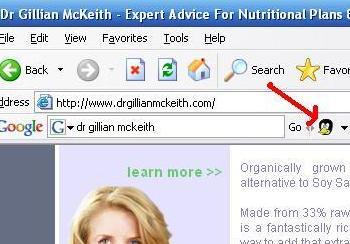
Le Canard Noir is pleased to announce the arrival of the Quackometer QuackSafeTM Toolbar Button for Internet Explorer that will allow one-click access to the Quackometer and QuackSafeTM Search Engine. Click the button to find out if your current page is Quackery. Highlight a name in the text and click the button to find out if they might be a quack. Type a query into the Google Toolbar search button and click the Quackometer button for reliable search results.
UPDATE: The Toolbar button now has access to the QuackSafeTM Search Engine. Simply enter your query into the Google Toolbar and hit the duck’s head.
As a sophisticated reader of my site, you may feel that you too can spot a quack a mile off. But in these days of devious and deluded quackery, do you feel it is safe for your family, loved ones, elderly relatives and pets to surf the net without adequate protection from quackery? The QuackSafeTM Toolbar button is for you. Installation is easy and will not compromise your computer or wallet.
Install now before your money gets spent on homeopathy and ear candles.
Features:
There are four ways to use the button: Click, Highlight, Type or Drop-Down. All do different things…
- Click the toolbar button to send your current page to the quackometer. Instantly see if you are reading horse-shit.
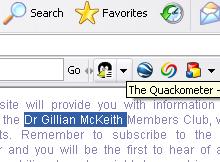
- Highlight a suspect quack’s name in your current page with your mouse and click the toolbar button. The Quackometer will analyse the name to see if they are associated with quackery on the web.
- Type a search term into the Google Toolbar search box and click the button. The Quackometer will use QuackSafe Searching to find out reliable sources of anti-quackery information.
- Click the drop-down list to see the latest insane quack stories from the daily newspapers.
To Install…
- You need to be running the Google Toolbar. You can read about it here. Currently, only Internet Explorer has been tested. Watch out for Firefox!
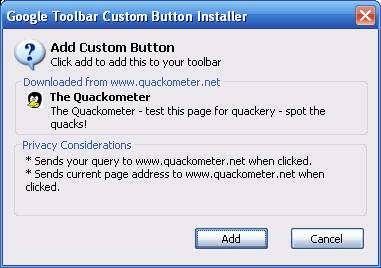
- Click on this link to install. Follow the instructions. If the Google toolbar is not installed, you will be prompted to do so now.
- It is that easy! Be QuackSafeTM!
Safety, Security and Privacy.
- A simple and small XML file is saved on your computer. No executable. No spy-ware. Nothing.
- When you click on the button, your browser is redirected to the quackometer web site with details of the current page you are surfing or the suspect quack’s name you want to analyse. No personal data is sent to the little black duck. I don’t want it, even if it did.
- There is nothing much more to it.
- To uninstall, go to the Google Toolbar Settings.
-
Any other questions – you know where to find me…
Surf Safe. Surf QuackSafeTM.
Don’t delay! The Reiki Masters and Reflexologists are after your hard earned wonga! Its either this or you will be asked to get someone you care about a QLink for Christmas.
Tried to download the button, failed, and got this response: ‘A semi colon character was expected. (line 8 column 111)’. Would love to add it to my goole toolbar
I couldn’t download the toolbar either. Same problem… that semicolon exception.
please try again. if the problem persists, please let me know what browser and version you are using.
Thanks
It appears to be installed okay – at least I got no errors. But clicking the duck icon on the tool bar just brings me back to the Quackometer site. It does not seem to look at the suspect site at all.
Running IE 7.0 in Vista.
Doh! I suppose I should have read the “News” 🙂
Looking forward to the return of the Duck.